
Sonic Pico Park Local Co-op: 8 Players on One Screen
Set up Sonic Pico Park local co-op for 2-8 players: controller options, platform limits, seating, camera rules and the roles that keep a couch group sane.
SONIC PICO PARK local co-op supports two to eight players on one screen. Switch, Switch 2, Xbox, and PC can reach eight; the PS5 store listing caps local play at four. No subscription is needed, no lobby has to be formed, and no one has to own a second copy.
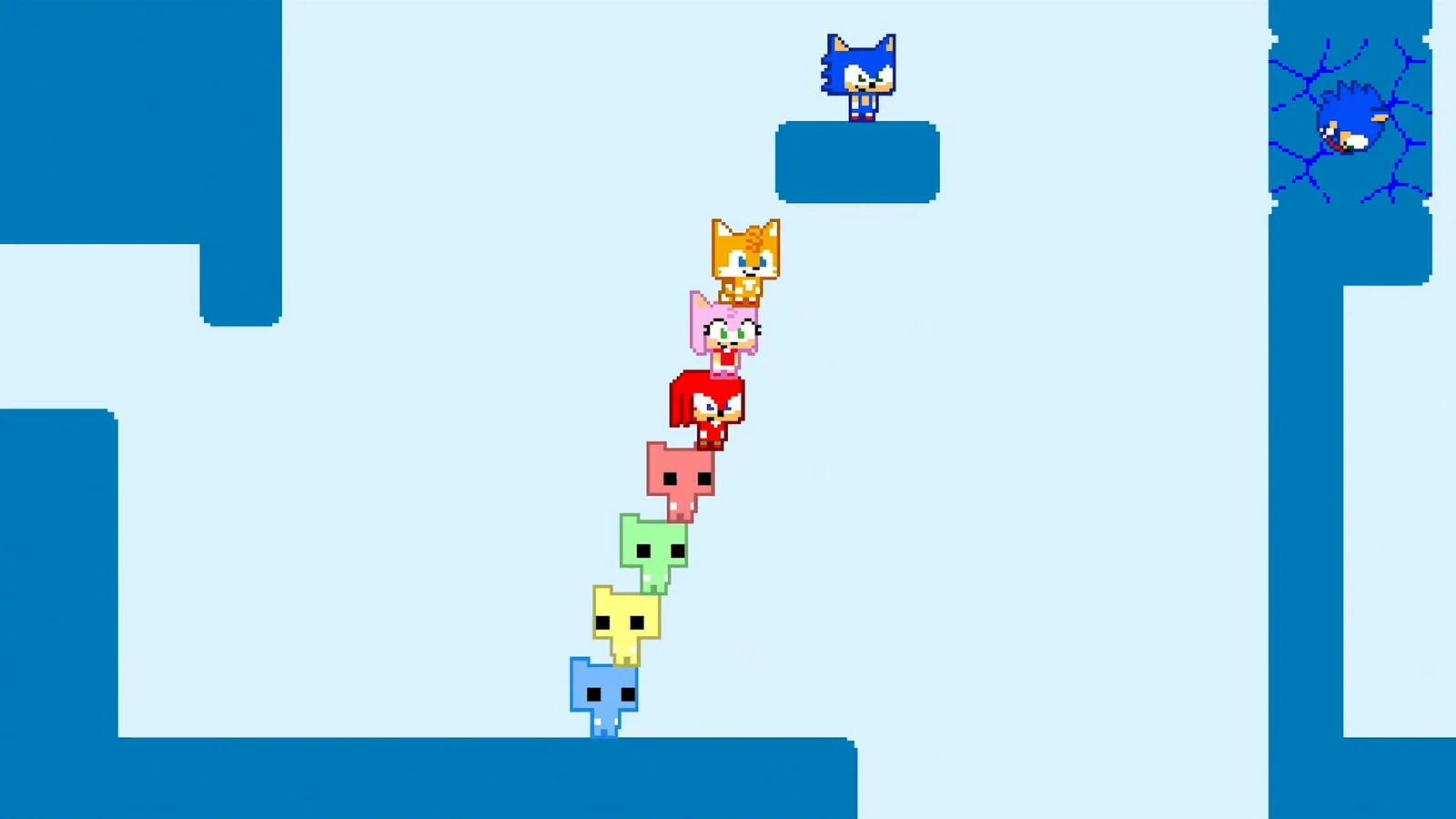
Local is the best version of this game. The shared screen forces the group to talk, the lag is zero, and the chaos is in the room rather than in a headset. The setup cost is controllers and seating, not software.
One caller counts the players at every checkpoint. In a room of eight, the person who counts is more valuable than the person who is best at platforming.
Local player limits by platform
| Platform | Local players | Controller notes |
|---|---|---|
| Nintendo Switch | 2-8 | Joy-Con pairs, Pro Controllers, third-party pads |
| Nintendo Switch 2 | 2-8 | Same controller options as Switch |
| Xbox Series X | S | 2-8 |
| Xbox One | 2-8 | Same as Series X |
| PlayStation 5 | 1-4 per store listing | DualSense controllers |
| PC (Steam) | 2-8 | Gamepads plus keyboard players |
The PS5 figure is the one to watch. The game supports larger online groups on PS5, but the store listing describes local play as one to four. If you are planning an eight-player couch session, use Switch, Xbox, or PC.

Controller setup for eight players
Eight players is a hardware problem before it is a game problem. The cheapest routes depend on the platform:
- Switch with Joy-Con pairs. Four pairs cover eight players if each half is used sideways. This is the lowest-cost path, but the halves are small and the sticks are not precise.
- Switch with Pro Controllers. Four Pro Controllers cover four players; eight requires eight controllers or a mix of Pro Controllers and Joy-Con halves.
- Xbox. Eight wireless controllers is an expensive setup. A mix of official and third-party pads works, and the console assigns them in join order.
- PC. The most flexible option. Four gamepads plus four keyboard players covers eight, and the game supports mixed input in the same local session.
- PS5. Four DualSense controllers is the listed local limit.
Label every controller before the session. A group that swaps pads mid-game will spend more time in the lobby than in the campaign.
How to start a local session
- Connect the controllers before launching. The game reads connected pads at the lobby screen; a pad connected later may not be assigned.
- Choose local play. The main menu separates local and online.
- Assign characters. Each player picks a character. The roster is shared, so two players cannot pick the same character in the same lobby.
- Check the camera. The game uses a shared screen. Make sure the television is large enough for eight players to see the goal plate and the hazards.
- Start at World 1. A mixed-skill group should not skip the tutorial world, even if one player has finished the game.
- Set the room rules. One caller, no plate touches until the count, and a short break every few worlds.
Seating and screen setup
A shared-screen game with eight players is a viewing problem. The player at the back of the couch cannot see a small platform on a 40-inch television. The fixes are simple:
- Sit close. A large screen helps, but distance matters more. A group sitting three meters from a 55-inch screen sees less than a group sitting two meters away.
- Keep the camera centered. The game's camera follows the group. If one player runs ahead, the camera moves and the back of the room loses the view.
- Use a low-latency mode. Turn on the television's game mode to reduce input lag. The Spin Dash timing is more forgiving than a fighting game, but lag makes the charge feel wrong.
- Avoid split-screen assumptions. This is not a split-screen game. Everyone shares one view, which is why regrouping matters.
Roles for a couch group
A local group can assign jobs out loud, which is easier than typing in a lobby. The four useful jobs are:
- Caller. Counts the group at each checkpoint and calls the next move. The caller does not have to be the best player.
- Flyer. Carries one player across a gap. The flyer should be the player most comfortable with the flight timer.
- Dasher. Breaks cracked blocks and clears enemies. The dasher should charge away from ledges.
- Anchor. Holds the ring gate and keeps the group from overcommitting.
In an eight-player room, add a runner who tests the next section and reports back. The runner should never touch the goal plate; the plate is the caller's job.
Local play versus online play
Local wins on latency, setup, and atmosphere. Online wins on reach. A group that lives in the same city should play local whenever possible, even if it means buying controllers.
The hybrid option is PC: seven local players plus one remote player in an eight-player lobby. That gets the couch energy and includes a friend who cannot make the trip. The online guide → covers the invite side of that setup.
Common local-session problems
- A controller is not detected. Reconnect it before the lobby, not during a stage. On Switch, check that the pad is paired to the correct console profile.
- Two players picked the same character. The roster does not allow duplicates in one lobby. Pick again.
- The group cannot see the goal plate. The camera is following a player who ran ahead. Regroup.
- The stage will not end. One player has not touched the plate. Count the group.
- A player keeps falling behind. The shared camera does not wait. Slow the group down or assign the straggler a simpler job.
Official source: SONIC PICO PARK official site ↗
Official source: Steam store page ↗
The Nintendo product page ↗ confirms local play for two to eight players. The PlayStation Store listing ↗ lists the PS5 local player count. MonsterVine ↗ describes the couch co-op pacing.
FAQ
How many players can play Sonic Pico Park locally?
Up to eight on Switch, Switch 2, Xbox, and PC. The PS5 store listing says one to four locally.
Do you need extra controllers for eight players?
Yes. Each player needs an input. On Switch, four Joy-Con pairs can cover eight players if each half is used sideways.
Can keyboard and controller players play together locally?
Yes, on PC. The Steam version supports mixed input in the same local session.
Does local co-op need a subscription?
No. Local play does not require Nintendo Switch Online, PlayStation Plus, or Game Pass Core.
Can local players join an online session?
Yes, on PC: up to seven local players can join an online session from one machine.